# LACTF 2023
## terms-and-conditions
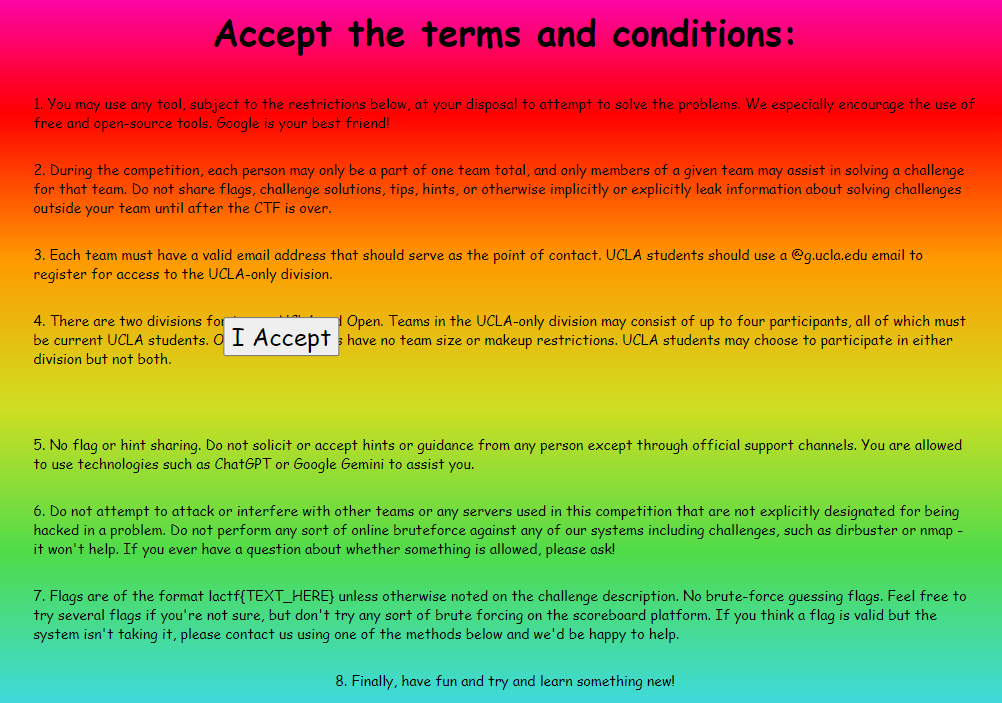
> Welcome to LA CTF 2024! All you have to do is accept the terms and
> conditions and you get a flag!
>
> Author: aplet123
>
Tags: _web_
## Solution
We get a very colorful static page where we'r supposed to click the `I Accept`
button. The button though moves away from our mousepointer. So lets inspect
the page source.
```javascript
const accept = document.getElementById("accept");
document.body.addEventListener("touchstart", (e) => {
document.body.innerHTML = "NO TOUCHING ALLOWED
";
});
let tx = 0;
let ty = 0;
let mx = 0;
let my = 0;
window.addEventListener("mousemove", function (e) {
mx = e.clientX;
my = e.clientY;
});
setInterval(function () {
const rect = accept.getBoundingClientRect();
const cx = rect.x + rect.width / 2;
const cy = rect.y + rect.height / 2;
const dx = mx - cx;
const dy = my - cy;
const d = Math.hypot(dx, dy);
const mind = Math.max(rect.width, rect.height) + 10;
const safe = Math.max(rect.width, rect.height) + 25;
if (d < mind) {
const diff = mind - d;
if (d == 0) {
tx -= diff;
} else {
tx -= (dx / d) * diff;
ty -= (dy / d) * diff;
}
} else if (d > safe) {
const v = 2;
const offset = Math.hypot(tx, ty);
const factor = Math.min(v / offset, 1);
if (offset > 0) {
tx -= tx * factor;
ty -= ty * factor;
}
}
accept.style.transform = `translate(${tx}px, ${ty}px)`;
}, 1);
let width = window.innerWidth;
let height = window.innerHeight;
setInterval(function() {
if (window.innerHeight !== height || window.innerWidth !== width) {
document.body.innerHTML = "NO CONSOLE ALLOWED
";
height = window.innerHeight;
width = window.innerWidth;
}
}, 10);
```
There's a very naive anti debuggin technique implemented. When the browser
window changes in size `NO CONSOLE ALLOWED` is displayed. This can be shipped
around by just refreshing the page or undocking the `developer tools panel`.
The button movement is done via `setInterval`. Therefore clearing the interval
would keep the button in place. Another solution would be to trigger the click
event via console. Either way, we get the flag.
```javascript
> clearInterval(1)
< undefined
```
```javascript
> document.getElementById("accept").click()
< undefined
```
Flag `lactf{that_button_was_definitely_not_one_of_the_terms}`
Original writeup (https://github.com/D13David/ctf-
writeups/blob/main/lactf24/web/terms_and_cond/README.md).